Home › OpenAI-compatible API
Guide updated: November 20, 2026
A local OpenAI-compatible API — free, keyless, on your PC
Strata serves an OpenAI and Anthropic compatible API on localhost. Anything that speaks either shape — editor assistants, coding agents, terminal CLIs, your own scripts — can use your local models with no API key, no bill and no rate limit beyond your hardware. This page is the five-minute wiring guide.
Download
Wire it up
- Download Strata 0.2.17, extract and run it; allow the administrator prompt. Setup fetches the app and the right engine for your hardware.
- Download a model in the app — Qwen3.8-Flash-Next for general use, the pinned Coder build for programming.
- Start the API from the app or the Terminal; the port it listens on is shown right there.
- In your tool of choice, set the base URL to that localhost address. If a key is mandatory, any placeholder string works — there is nothing to validate it against.
The shape your tools already speak
curl http://localhost:<port>/v1/chat/completions \
  -H "Content-Type: application/json" \
  -d '{
    "model": "qwen3.8-flash-next",
    "messages": [{"role": "user", "content": "hello"}]
}'What changes when the API is local
| Cloud API | Local API |
|---|---|
| Key, billing account, quotas | Nothing — any placeholder key string works |
| Rate limits and throttling | Only your hardware |
| Prompts logged elsewhere | localhost never touches the network |
| Dies with the internet | Keeps working in an outage |
| Per-token pricing | Free software, free models |
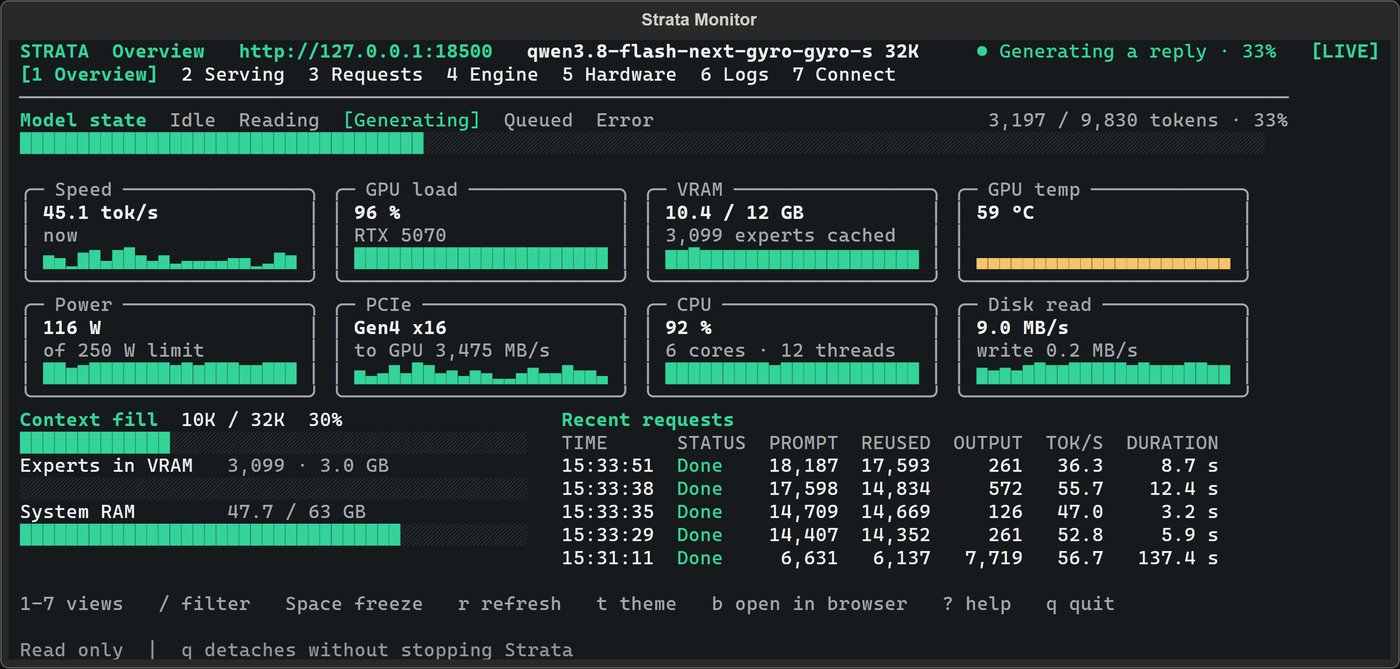
What it looks like
FAQ
- Is the local API really OpenAI compatible?
- Yes. Strata serves the familiar chat-completions shape on localhost, plus the Anthropic messages shape. Tools that let you set a base URL or provider can use it directly.
- Do I need an API key?
- No. There is no key, no signup and no billing account. If a tool insists on a key value, any placeholder string works.
- Are there rate limits?
- Only your hardware. There is no account-side throttling: throughput is whatever your PC can generate, and nothing is logged or counted anywhere else.
- Which models are available through the API?
- Whatever you download in the app — the recommended Qwen3.8-Flash-Next in several quant sizes, including a pinned Coder build tuned for programming. The local LLM guide helps you pick.
- Does the local API work offline?
- Yes, once the app, engine and model are downloaded. localhost never touches the network, so agents keep working on a plane or in an outage.
- What tools work with it?
- Anything that speaks the OpenAI or Anthropic APIs and lets you override the base URL: editor assistants, coding agents, terminal CLIs, and your own scripts.
Only trust this page. Fake AI tool builds float around forums and file sharing sites. The real build matches what the maintainers publish on GitHub. Strata is not affiliated with OpenAI or Anthropic — the API simply speaks their shapes.