Chat, code and work with images, locally, with Strata
Strata runs AI models on your own PC instead of somebody else's cloud. You open the app, pick a model, and chat, code or work with images — with no account, no subscription and nothing leaving your machine. It is a single setup package, and the usage steps below take about a minute. Questions are answered in the FAQ.
Download
Usage
- Grab
Strata.AI.v0.2.17.zipfrom the downloads page, extract it anywhere and start the exe. Allow the administrator prompt — the installer sets up the app and the engine for your hardware. - On first run, Strata's setup downloads the app and the right engine for your PC: NVIDIA, AMD, Intel or plain CPU.
- Pick a model. The recommended one is Qwen3.8-Flash-Next; smaller quants fit modest PCs, the pinned Coder build is tuned for programming.
- Chat in the app, use the Terminal with
strata, or point your coding tools at the local API. If SmartScreen complains, choose More info → Run anyway. Open source tools are usually unsigned.
Updates keep your models, chats and settings: run strata update or let the app fetch them. The changelog tracks what each release changes.
See it working
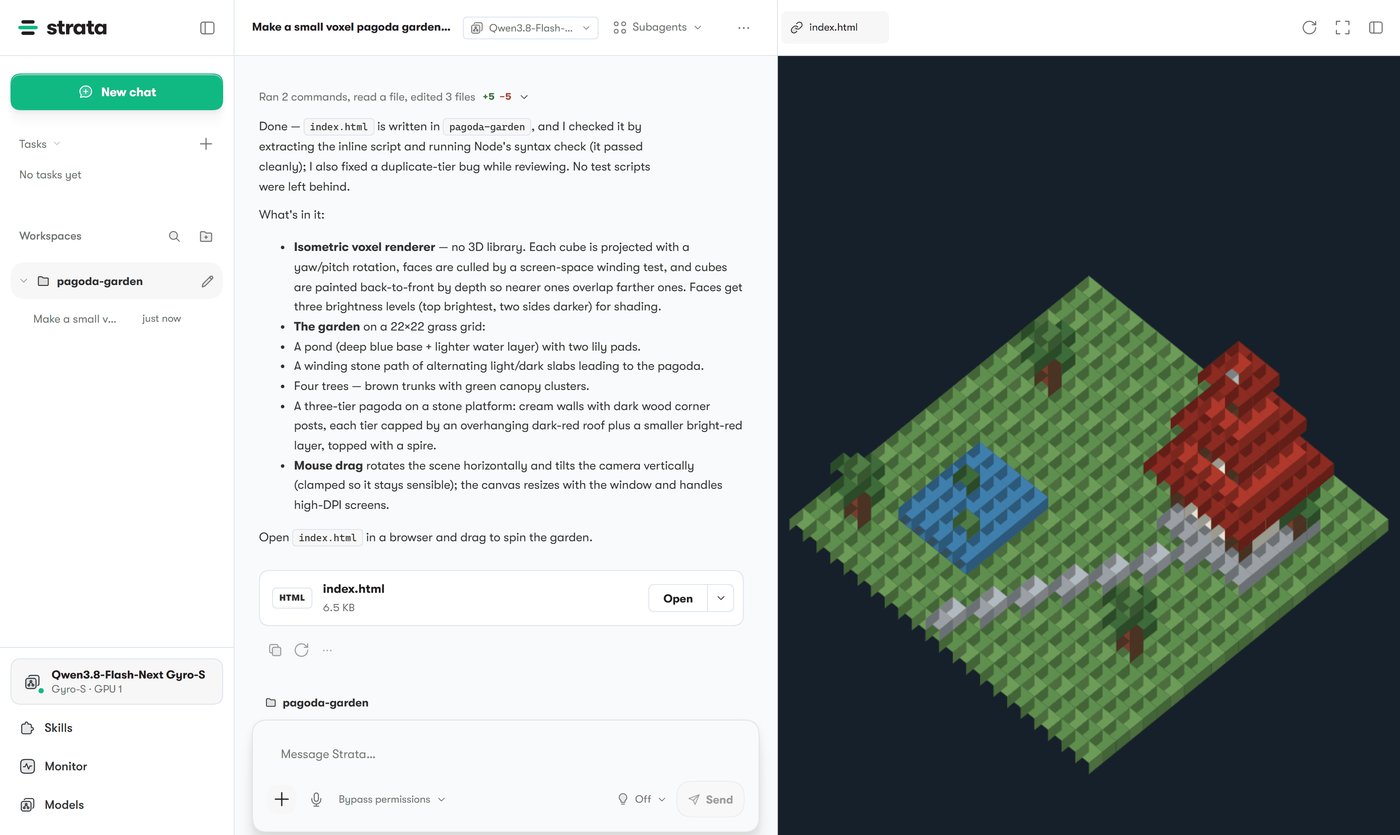
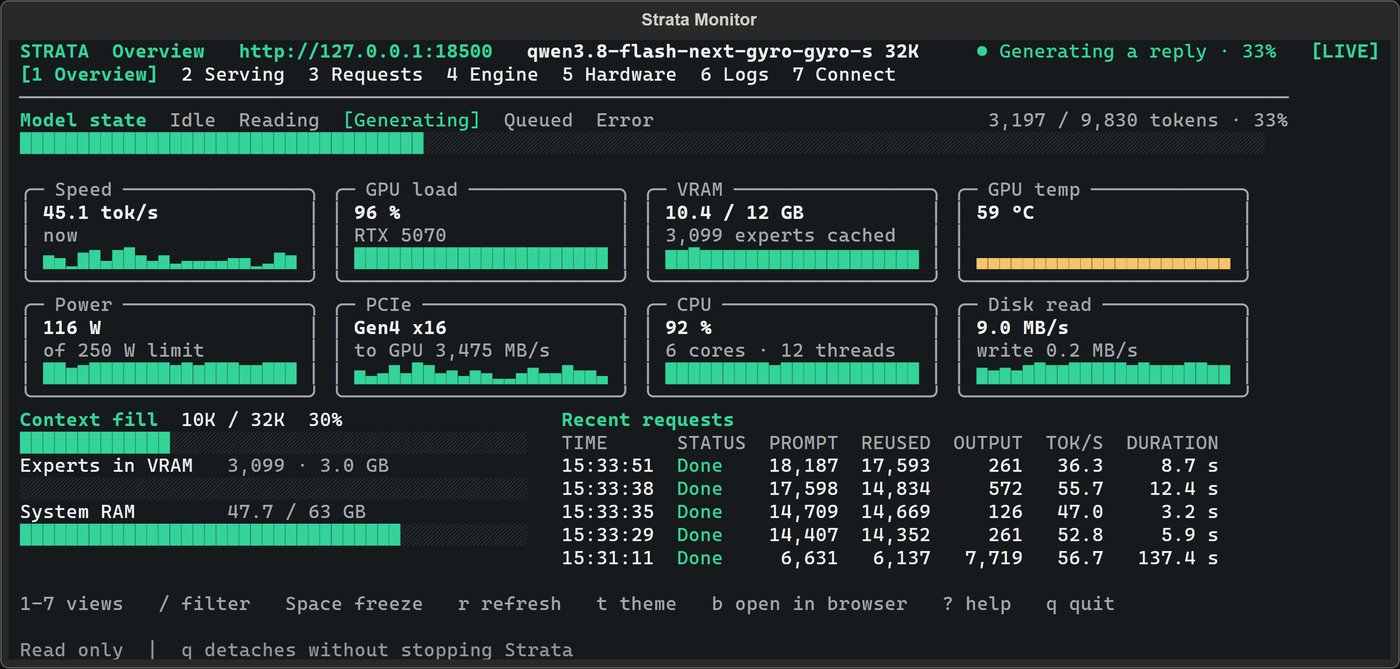
Models and providers
The recommended model is Qwen3.8-Flash-Next, offered by several providers in different sizes. Rule of thumb: smaller quants need less memory and answer faster, bigger quants answer better. The pinned Coder build is tuned for programming.
| Provider | Choices |
|---|---|
| ISTA-DASLab | Q2_0, IQ2_XS, IQ3_XXS, IQ3_S · Coder: IQ1_M |
| Unsloth | UD-IQ4_XS, UD-Q4_K_XL, UD-Q5_K_XL, UD-Q6_K_XL, Q8_0 |
| Gyro | Gyro-S, Gyro-M — lower memory use, slower |
| Other | Swift 1.5, NVFP4, OrcaRouter |
An engine for every PC
Strata's setup detects your hardware and downloads the matching engine. NVIDIA cards get CUDA builds, Radeon cards get HIP builds tuned per generation, Intel Arc gets SYCL, Apple silicon gets Metal, and a plain CPU engine covers everything else. You never compile anything.
The Terminal and the API
Alongside the app you get the Strata Terminal: strata runs models from the command line, strata update keeps the app, Terminal and engines current. A small program called Control installs and updates the engines in the background. For tools, Strata exposes an OpenAI and Anthropic compatible API on localhost — editors, agents and scripts that speak either API can use your local models with no key and no bill.
What you need
| What | Details |
|---|---|
| Windows | 10 or 11, 64-bit |
| GPU | Optional: NVIDIA, AMD Radeon or Intel Arc; CPU works too |
| RAM | 8 GB minimum, 16 GB or more for bigger models |
| Account | None — no sign-up, no API key |
| Antivirus | Some AV products flag AI runtime bundles; an exclusion may be needed |
FAQ
- What does Strata do?
- It runs AI models locally on your own computer. You can chat, code and work with images without an account, without the cloud, and without your data leaving the PC.
- How much does Strata cost?
- Nothing. Strata is free and open source under the MIT license. The latest build is version 0.2.17.
- Do I need a graphics card to run Strata?
- No. Strata runs on any consumer hardware. With an NVIDIA, AMD or Intel GPU it picks the matching engine automatically; otherwise it runs on the CPU. More RAM lets you run bigger models.
- Which model should I start with?
- The recommended one is Qwen3.8-Flash-Next. Small quants like Q2_0 or IQ2_XS fit modest PCs, bigger ones use more RAM, and the pinned Coder build is tuned for programming.
- Can Strata work with my coding tools?
- Yes. Strata exposes an OpenAI and Anthropic compatible API on your machine, so editors, agents and terminals that speak either API can use your local models.
- Where can I get Strata safely?
- From this site or from the official GitHub releases page. Watch out for fake Strata builds on forums and file sharing sites.
- Does Strata phone home?
- Model downloads and updates come from the public model providers and the update feed. Your chats and files stay on your PC.
Changelog
0.2.17 (November 20, 2026)
- Route tail skip is now off by default for slightly more consistent answers
- Setup leaves 17 GB of RAM free when the model does not fit: a 64 GB PC now holds 47 GiB of experts in RAM
- New pinned Coder model build (#3445)
0.2.16 (November 18, 2026)
- Strata's own engine code and a new folder layout
- Fixed wrong results on Mac M1–M4 with UD-Q4_K_XL
- Fixed a start-up crash on some Windows accounts
0.2.15 (November 16, 2026)
- The app no longer starts a stray llama-server found on the PC
- Fixes in the app and the Terminal
0.2.13 (November 9, 2026)
- Stability and model-loading improvements
Disclaimer
Strata is hosted here for educational and archival reasons. Model licenses differ per provider — check the terms of the models you download for your use case. The maintainers publish the source code on GitHub.