Download a local LLM for Windows — free, no account
A local LLM is a model file you download once and run on your own hardware: no chat service in the middle, no account, no meter running. This page is the practical route: which model to take, which quant fits your RAM, and how the whole thing stays updated. Strata does the plumbing — you just pick the model.
Download
Step one: the runner
- Download Strata 0.2.17, extract the zip and run the exe. Allow the administrator prompt.
- Setup downloads the app and the engine that matches your hardware: NVIDIA CUDA, AMD HIP tuned per generation, Intel SYCL, Apple Metal, or a plain CPU engine.
- Open the app and pick a model from the picker — that is the local LLM download itself.
Step two: pick your model and quant
The recommended model is Qwen3.8-Flash-Next, published by several providers in different sizes. A quant is a compressed build of the same model: more compression means less RAM and slightly less polish. Rule of thumb: smaller answers faster, bigger answers better.
| Your RAM | What fits |
|---|---|
| 8–16 GB | Small quants: Q2_0, IQ2_XS |
| 16–32 GB | Middle sizes: IQ3_XXS, IQ3_S, UD-IQ4_XS, UD-Q4_K_XL |
| 64 GB | Big quants — a 64 GB PC keeps 47 GiB of experts in RAM |
| Provider | Choices |
|---|---|
| ISTA-DASLab | Q2_0, IQ2_XS, IQ3_XXS, IQ3_S · Coder: IQ1_M |
| Unsloth | UD-IQ4_XS, UD-Q4_K_XL, UD-Q5_K_XL, UD-Q6_K_XL, Q8_0 |
| Gyro | Gyro-S, Gyro-M — lower memory use, slower |
| Other | Swift 1.5, NVFP4, OrcaRouter |
For programming, take the pinned Coder build of the same model — it is tuned for code. The local AI guide covers the privacy and offline side; the local API page covers plugging the model into your tools.
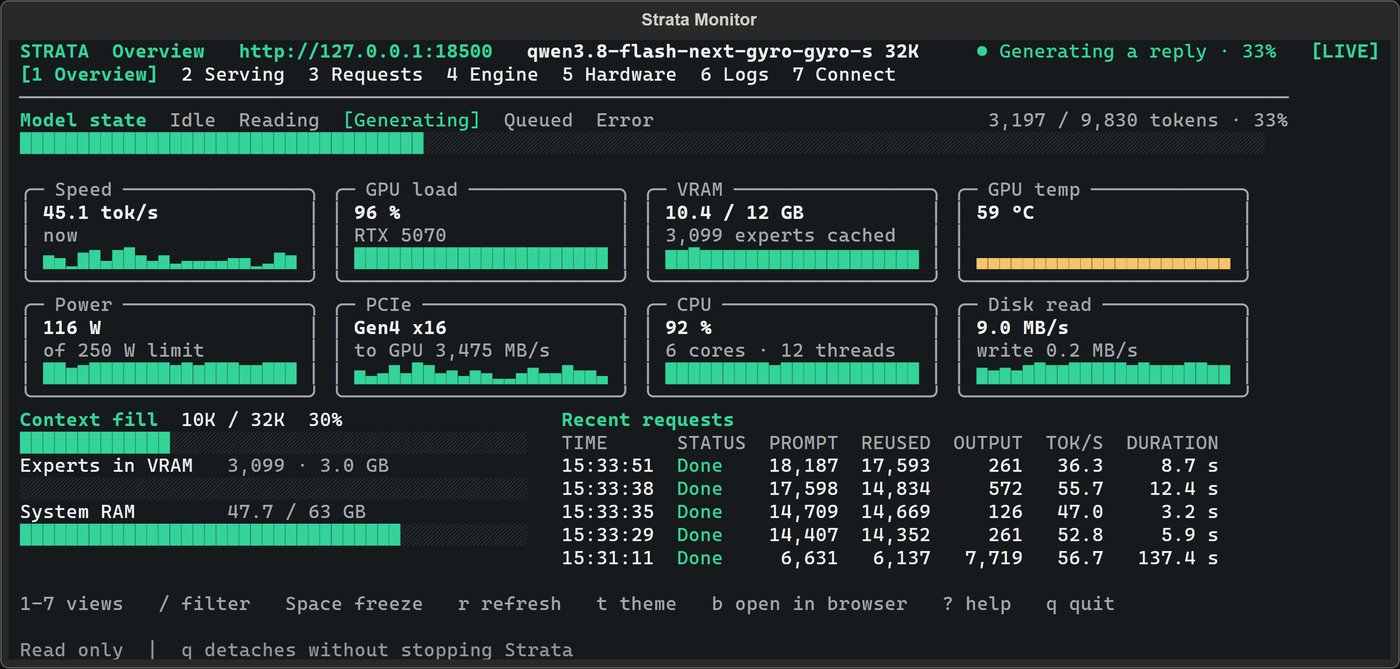
What it looks like
Keeping it current
strata update — or the app's own updater — refreshes the app, the Terminal and the engines while keeping your models, chats and settings. Models themselves come from the public providers and the update feed; a small background program called Control handles engine installs.
FAQ
- Which local LLM should I download?
- Start with the recommended Qwen3.8-Flash-Next. It comes in several quant sizes: smaller needs less memory and answers faster, bigger answers better. For programming there is a pinned Coder build.
- What is a quant, and which one fits my PC?
- A compressed build of the same model. 8–16 GB of RAM fits small quants like Q2_0 or IQ2_XS, 16–32 GB fits the middle sizes, and 64 GB lets you keep 47 GiB of experts in RAM.
- Does a local LLM need the internet?
- Only to download the app, engine and model the first time, and to update later. After that every answer is computed on your hardware with no connection at all.
- How do I keep a local LLM updated?
- Run
strata updateor let the app do it. Updates keep your models, chats and settings; engines are downloaded per platform by Control. - Is downloading a local LLM free?
- Yes. Strata is free and open source (MIT), and the models are published by their providers at no cost. No subscription, no API key, no per-token bill.
- Where do I download a local LLM safely?
- From this site or the official GitHub releases page. Avoid re-uploaded builds on forums and file sharing sites.